My first automation tool was Make.com.
I didn’t go looking for it after research or a recommendation. It was simply the first thing I came across when I wanted to automate something in my workflow.
I spent week on it. Learning how modules connect, how data flows from one step to the next, how integrations talk to each other. At the time I didn’t realize it, but Make was quietly teaching me how to think in automations.
Then I heard about n8n.
I expected a steep learning curve. Instead, something clicked me faster than I anticipated because Make had already built the mental model. The nodes, the connection, the logic. n8n just looked different on the surface. Underneath, I already spoke the automation language.
That experience is actually why I think I’m in a decent position to compare these two.
Not because I read the documentation for both, but because I’ve lived inside them at different points in my automation journey. What I’m sharing here isn’t a feature matrix repackaged as an article – it’s like, I genuinely wish someone had told me before I had to figure it out myself.
So let me give you that shortcut first.
If you already know your situation, the table below ends the decision in under a minute. If you’re not sure which row fits you, keep reading and the rest of this post gives you the context behind each choice.
Short Answers
| Your situation | Pick this |
| Non-technical team, visual-first, fast setup, no compliance concerns | Make |
| Developer or technical team, complex logic, high-volume workflows, AI agents | n8n |
| Mid-technical ops team, some scripting needed, no self-hosting required | Either. Read the pricing section first |
If you’re not sure which row fits you, that third row is more common than people admit. The rest of this post gives you the information to decide.
Why This Is a Harder Call Than n8n vs Zapier
If you’ve already compared n8n to Zapier, you know that comparison has a clear winner for most technical users. This one is different.
Make sits between Zapier and n8n on the technical spectrum. It has a visual canvas (like n8n), a free tier, integrations for 3,000+ apps, and this is what most comparisons miss JavaScript
and Python support on paid plans. Make is not a purely no-code tool. Once you’re on a paid tier, you can add a Code module to a scenario and write real scripting logic.
That changes the decision. If you assumed n8n was your only option for any scripting work, it isn’t.
The gaps between Make and n8n are real, but they’re narrower than the marketing on both sides suggests. What actually separates them is the pricing model, the AI architecture, and whether you need to self-host.
Pricing. Operations vs Executions (With Real Numbers)
This is the single most important thing to understand before committing to either platform.
How Make charges
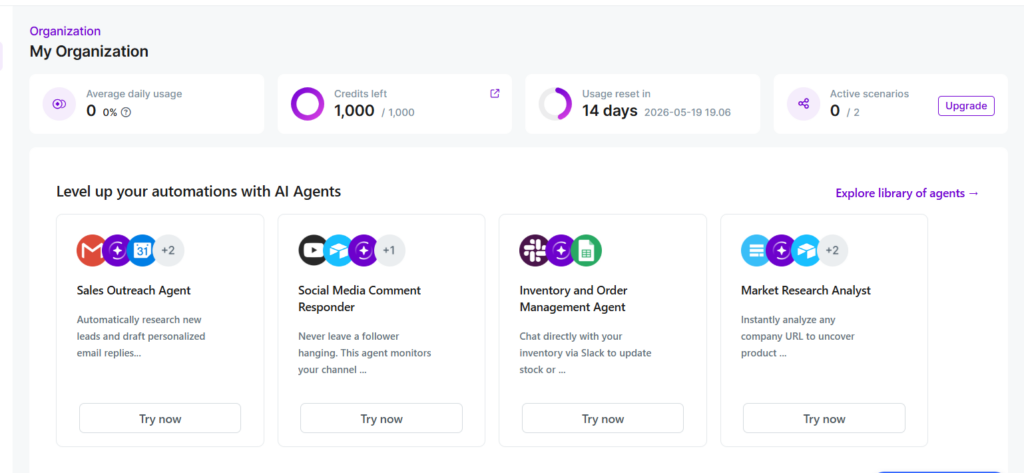
Make bills per operation. Every individual module step in a scenario counts as one operation.
A scenario with 8 modules that runs 500 times consumes 4,000 operations (8 × 500). Make’s Free plan includes 1,000 operations per month. Their Core plan starts at around $9/month for
10,000 operations.
That sounds like a lot until your scenarios get complex. A 15-step scenario processing 1,000 items per month = 15,000 operations. You’ve already outgrown the base paid tier on that one workflow alone.
How n8n charges
n8n bills per execution one complete workflow run, regardless of how many nodes it passes through.
That same 8-node workflow running 500 times = 500 executions. n8n’s Starter cloud plan includes 2,500 executions/month at around $20/month.
The same workflow, priced on both platforms
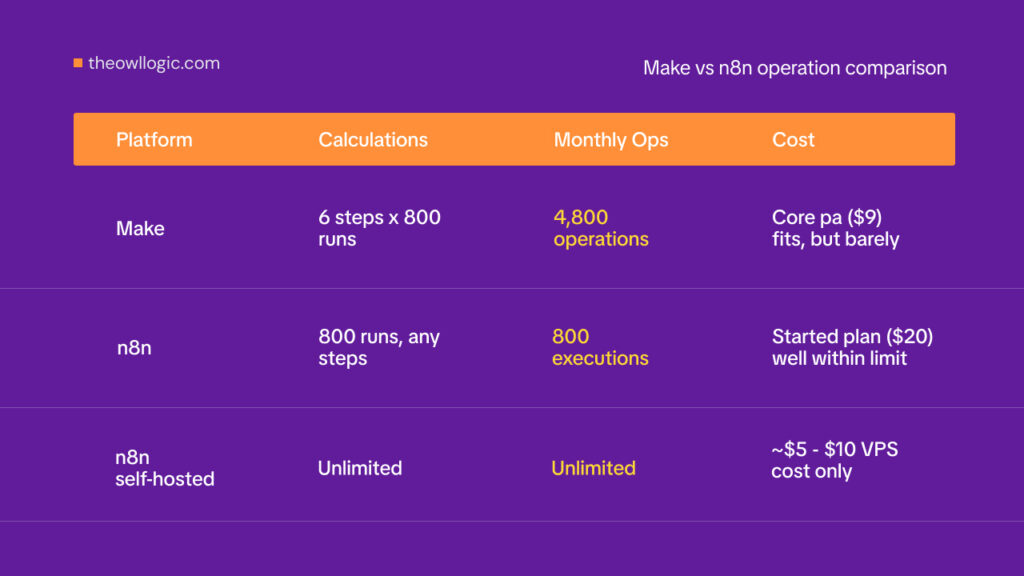
Here’s a real scenario: a workflow that triggers on a new HubSpot contact, enriches the data with Clearbit, formats the record, adds a row to Google Sheets, sends a Slack notification, and creates a
follow-up task in Asana. That’s 6 steps. It runs 800 times per month.
| Platform | Calculation | Monthly operations/executions | Approximate cost |
| Make | 6 steps × 800 runs | 4,800 operations | Core plan ($9) fits, but barely |
| n8n | 800 runs, any steps | 800 executions | Starter plan ($20) well within limit |
| n8n self-hosted | Unlimited | Unlimited | ~$5–10 VPS cost only |
Now add complexity. Double the steps to 12, or run it 2,000 times/month, and Make’s operation count climbs to 24,000. You’re adding operation packs. On n8n self-hosted, nothing changes.
The breakeven point depends on your workflow complexity and run frequency. For simple, low-step scenarios running infrequently, Make’s free tier is genuinely useful. For anything running at scale with multiple steps, n8n’s execution model is often significantly cheaper.
Setting up self-hosted n8n takes about 30 minutes with Docker. The full setup is covered in n8n self-hosted setup if you want to skip the cloud cost entirely.
Visual Interface. Where Make Genuinely Wins
Make’s scenario builder is more polished than n8n’s canvas. The icons are cleaner, the module connections are visually intuitive, and the onboarding flow gets non-technical users to a working
automation faster. If you hand Make to a marketing manager who’s never touched automation software, they’ll figure it out in an afternoon.
n8n’s canvas is more powerful but more demanding. The node-based layout resembles developer tooling like Node-RED more than a consumer app. JSON data structures are visible throughout. Expressions use their own syntax.
These aren’t problems for developers, but they’re a real friction point for anyone who just wants to connect Typeform to Mailchimp without thinking about data payloads.
There’s one area where n8n’s interface is concretely better debugging.
n8n lets you deactivate individual nodes with a single click while keeping the rest of the workflow intact useful when
you’re isolating a problem in a 15-step workflow.
In Make, you’d need to manually disconnect modules to achieve the same result, which is slower and more disruptive to your workflow structure.
For planning and structuring workflows before you build, n8n’s canvas also scales better as complexity grows branching paths and parallel flows are easier to follow visually at larger sizes.
Integrations and Code. Correcting a Common Misconception
The integration count comparison: Make has 3,000+ native modules, n8n has around 1,200 native nodes.
Make wins on raw breadth, particularly for niche SaaS tools your marketing or finance team uses. If the app you need has a Make module, setup takes minutes. If it only has an n8n HTTP Request node option, you’re doing some API configuration work.
Make on paid plans supports JavaScript and Python via the Code app. You’re not locked into purely visual logic once you upgrade. Enterprise plans add Custom Functions. This is a genuine
middle ground that ops teams with some scripting ability should factor in.
n8n’s Code node is unrestricted on all plans cloud and self-hosted. There’s no tier gating on scripting. You can write arbitrary JavaScript or Python in any workflow from day one, with full
access to the node’s input/output data.
Where n8n goes further: community nodes, self-hostable custom node development, and the HTTP Request node cover virtually any REST or GraphQL API. If an app has a public API at all, n8n can connect to it. The development overhead is real, but the ceiling is higher.
For teams evaluating whether either platform covers a specific integration, n8n alternatives cover the broader tool landscape if you hit a gap.
AI Capabilities 2026 Update
Make has added AI capabilities that weren’t there 18 months ago. You can now trigger OpenAI and Anthropic calls as standard modules, and Make AI Agents provides a proprietary module for
multi-step AI automation.
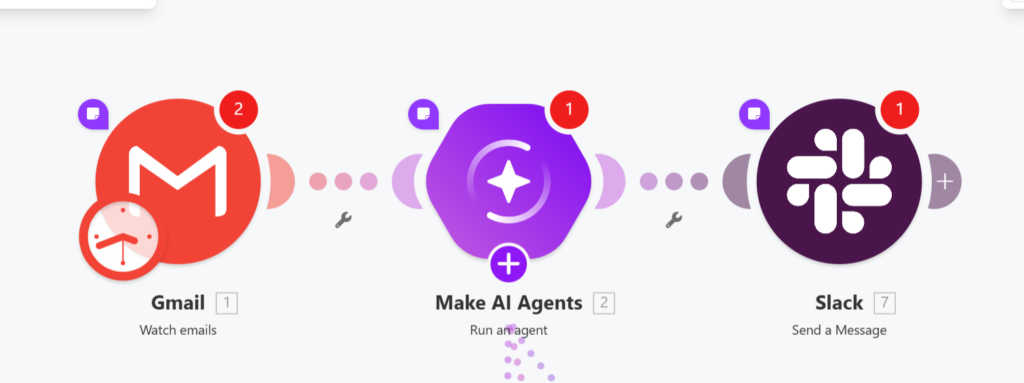
For teams that want to add AI steps to existing workflows, like summarize this document, classify this email, extract these fields from this text Make works fine.
The architectural difference shows up when you need AI that makes decisions, not just processes text.
n8n’s AI Agent node lets an LLM choose which tools to call based on incoming data.
The agent can decide to query a database, call an API, send a Slack message, or loop back based on what the data says, not based on a fixed sequence you defined.
LangChain integration adds memory nodes (conversation context across runs), vector stores for RAG pipelines, and model flexibility across OpenAI, Anthropic, Mistral, and local Ollama models.
Make’s AI modules are fixed steps in a sequence. You define when the AI runs and what it receives. n8n’s agent architecture means the AI is part of the routing logic itself.
If you’re building an AI-powered support workflow, a document intelligence pipeline, or any automation where the AI needs to decide what happens next, that’s n8n. If you’re adding AI as
one step in an otherwise rule-based workflow, Make handles it.
A real n8n AI agent workflow with the actual node setup is covered in the n8n AI agent workflow.
Self-Hosting and Data Residency
n8n can be self-hosted. Make cannot.
For teams with data sovereignty requirements, healthcare, finance, legal, any org with strict GDPR obligations around where data is processed, self-hosted n8n means workflow data,
credentials, and execution history never leave your infrastructure.
Make is cloud-only, but there’s a detail worth knowing: Make is a European company (Czech-based, part of Celonis since 2022), and its cloud infrastructure runs in European data centers. For
EU businesses that need data to stay within the EU but can’t manage self-hosted infrastructure, Make is meaningfully different from US-hosted platforms like Zapier. This isn’t the same as self-hosting, but it matters for GDPR compliance discussions where US data transfers are the specific concern.
The practical breakdown:
- Full data sovereignty, any compliance requirement → n8n self-hosted
- EU data residency without infrastructure overhead → Make (EU cloud)
- US-based team with no residency requirements → either platform, choose on other criteria
The Decision Framework. 4 Questions
Answer in order. First “yes” ends the decision.
- Do you need to self-host or keep all data within your own infrastructure?
n8n. Make has no self-hosting option.
- Is your team primarily non-technical, and do they need a polished visual interface with minimal configuration for common SaaS tools?
Make. The UI onboarding is faster, the module library covers more apps out of the box, and the operation-based pricing is reasonable at low volumes.
- Will your workflows regularly exceed 10 steps, or run at high volume (thousands of times per month)?
n8n. The execution model becomes substantially cheaper than operation-based billing at any meaningful scale.
- Are you building workflows where AI makes routing decisions, not just processing text as one fixed step?
n8n. The AI Agent architecture and LangChain integration have no direct equivalent in Make.
If none of these apply, small team, simple integrations, low volume, EU cloud is fine. Make and n8n are genuinely interchangeable for your use case. Pick whichever interface feels more natural after a free trial on both.
To get started with n8n, the complete n8n beginner guide is the fastest way to go from zero to your first workflow.
Leave a Reply