Most people don’t decide to leave Zapier. They get pushed.
It usually starts quietly though.
A workflow that costs more than it should, a limitation you hit mid-build that you didn’t expect, or a moment where you realize you’ve been tinkering around the tool instead of with it.
By the time someone starts searching for Zapier alternatives, they’ve often already made the decision. They’re just looking for confirmation.
This post isn’t a comparison of the two platforms – I already covered that in full n8n vs Zapier breakdown.
This is specifically for people who are already on Zapier and trying to figure out whether the frustration they’re feeling is worth acting on.
Here are seven signs that it probably is.
What Moving From Zapier to n8n Actually Means
Moving from Zapier to n8n makes sense when you’re consistently hitting one or more of these situations:
- your monthly Zapier bill is climbing above $50–100 and your workflow count is still growing
- your workflows have more than 4–5 action steps and you’re burning through task limits faster than expected
- you need logic Zapier doesn’t support natively (loops, branching per item, custom code mid-workflow)
- you’re handling data you’d rather keep off a third-party server.
n8n is harder to set up than Zapier – it has a real learning curve, but once past it, the execution-based billing, full JavaScript and Python access, and self-hosting option eliminate most of the pain points Zapier users report.
If only one of the signs below applies to you, stay on Zapier. If three or more apply, you’ve probably already outgrown it.
Sign 1: Your Zapier bill is growing faster than your workflows
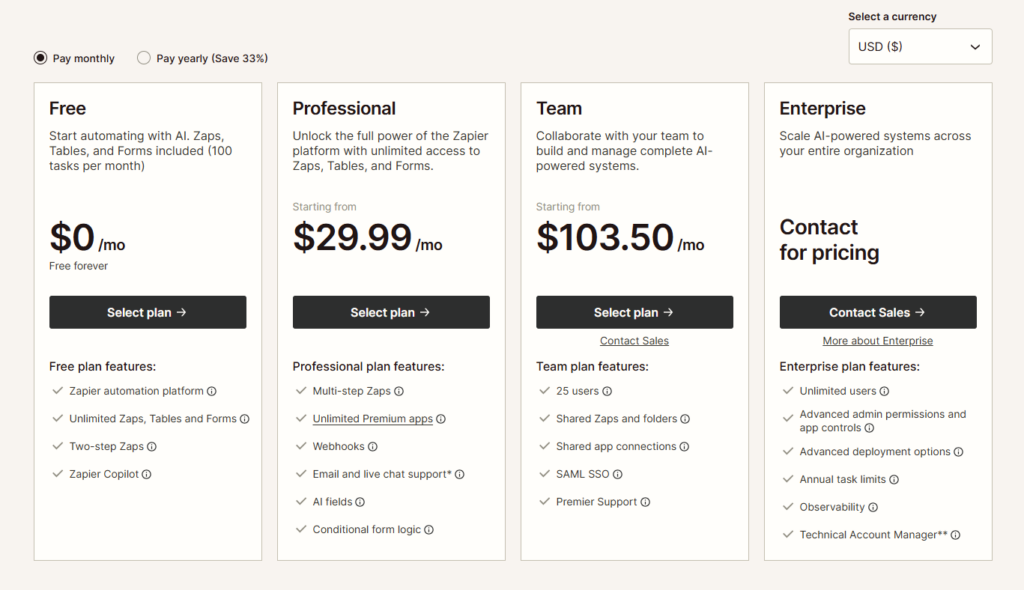
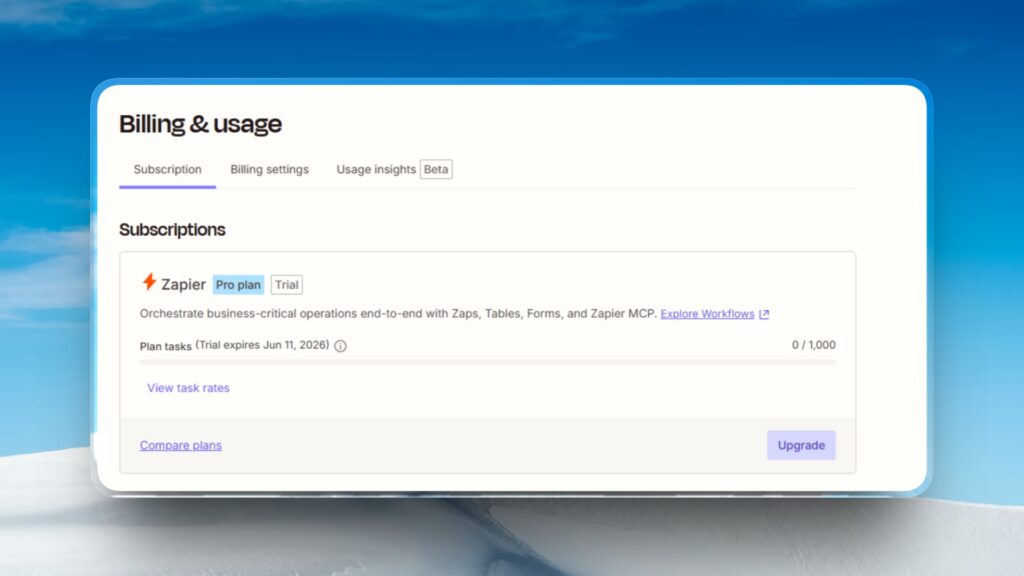
Zapier’s Professional plan starts at $29.99 per month for 750 tasks, and the Team plan sits at $103.50 per month for 2,000 tasks. Those numbers sound reasonable until you understand what “tasks” actually means.
Zapier charges based on workflow execution, counting each action or step as one task – even simple ones.
Workflows that branch, loop, or call multiple APIs can consume tasks rapidly, so what starts as an affordable tool can become surprisingly expensive as complexity or volume increases.
A typical workflow that does something useful – pulls data from an API, filters it, transforms it, writes it to a sheet, and sends a Slack message – runs five action steps.
Every time it fires, that’s five tasks. Run it 200 times a month and you’ve used 1,000 tasks. You’re already over the Professional plan limit.
n8n bills based on workflow execution, not individual steps. No matter how complex or branched your workflow is, each run counts as a single execution.
That same five-step workflow, run 200 times, costs 200 executions on n8n. The math compounds fast once your workflows get sophisticated.
Sign 2: You’ve started designing workflows around the task limit

This one is subtle and worth paying attention to.
When Zapier’s billing model starts shaping your workflow architecture.
When you’re combining steps you’d rather keep separate, skipping validations to save tasks, or avoiding filters because you’re worried about burning budget.
You’re not building the automation you want.
You’re building around a constraint.
Some Zapier users learn to use Formatter, Filter, and Paths strategically because certain built-in Zapier steps like Filters, Formatter, and Delay do not count toward monthly task usage.
So they structure logic around those free nodes to protect their budget.
That’s clever, but it’s also a signal that the tool is making decisions for you.
n8n doesn’t have this problem. Every node in a workflow whether it’s a Set node that renames a field or a full HTTP Request pulling from an API – costs nothing extra per run.
You build what makes sense, not what costs less.
Sign 3: You’ve hit a wall with complex logic
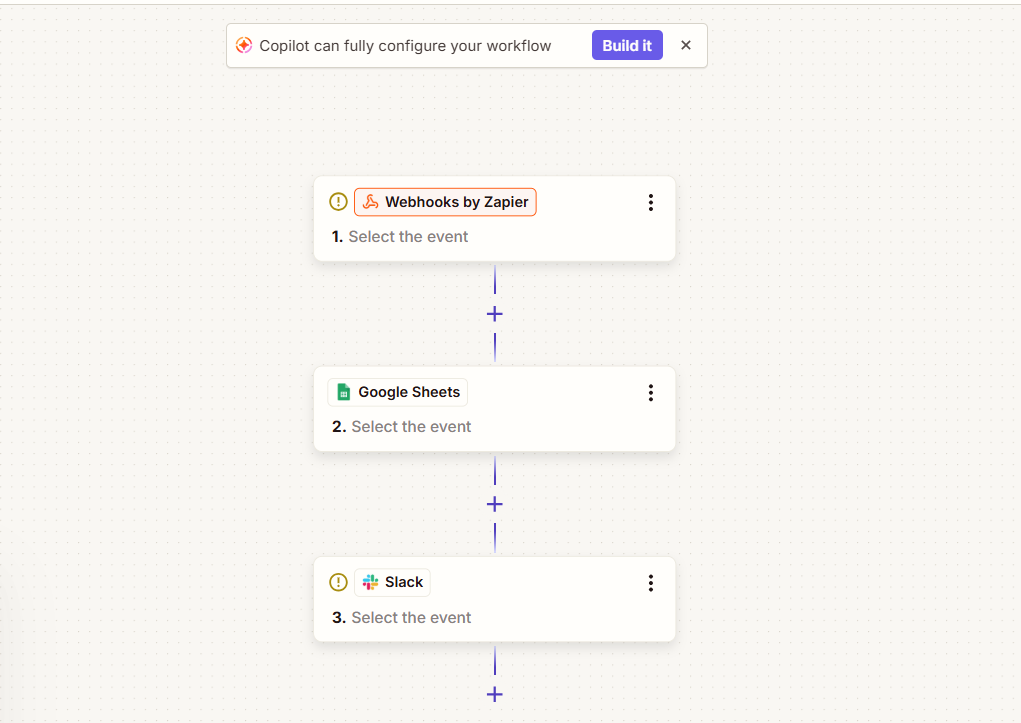
Zapier is genuinely good at linear automation:
trigger → do this → do that.
Where it struggles is anything that requires treating data as a collection rather than a single item.
If you’ve ever needed to:
- Loop through every row in a sheet and process each one differently
- Run a workflow for each item in an API response array
- Branch per-item rather than per-workflow
…you’ve hit Zapier’s logic ceiling.
n8n’s Loop Over Items node handles iteration natively.
You can process every item in a list, run a sub-workflow for each one, and rejoin the results downstream.
Zapier has no direct equivalent – the closest workaround involves Looping by Zapier, a paid add-on that approximates the behavior but doesn’t match the flexibility.
The same gap shows up with conditional logic.
n8n’s IF and Switch nodes let you branch at the item level, not just the workflow level.
If you’ve found yourself building multiple separate Zaps to handle what should be one workflow with branching, that’s the sign.
Sign 4: You need to run custom code mid-workflow
Zapier has Code by Zapier – a node that lets you write JavaScript or Python inline.
It works for simple transformations. But it’s sandboxed, has memory limits, and sits in a fixed position in the flow rather than operating as a peer to other nodes.
n8n’s Code node is a first-class citizen.
It runs full JavaScript (Node.js), has access to all items flowing through the node, can make external HTTP calls, and connects to everything before and after it exactly like any other node.
You can transform data, call an API you don’t have a native node for, or write logic that would take three Zapier nodes to approximate.
If you’ve written a Code by Zapier function and felt like you were fighting the sandbox or if you’ve wanted to do something like parse a JWT, transform a nested JSON structure, or call a library. n8n gives you that without restrictions.
Sign 5: You’re handling data you’d rather not share with Zapier’s servers
Every workflow you run on Zapier passes your data – customer emails, form submissions, order details, API responses through Zapier’s infrastructure.
For most use cases that’s fine. For some it isn’t.
If you’re in a regulated industry, handling PII, building for a client with strict data residency requirements, or simply at a point where you’d rather control where your data lives.
Zapier has no option for you. It’s cloud-only.
n8n’s self-hosted option lets you run the entire platform on your own server.
Your workflow data never leaves your infrastructure.
You get the same visual editor, the same nodes, the same execution model – just running on a VPS you control.
Sign 6: You’re building something that needs to scale without a predictable ceiling

Zapier’s task-based billing means that the more your product or team grows, the more unpredictable your automation costs become.
A marketing campaign that sends 10× more emails than usual, a webhook that fires more often than projected, a new feature that adds two more action steps to an existing Zap all of these translate directly to a higher bill.
If you go over your plan’s monthly task limit, Zapier automatically starts billing you for every additional task, which can lead to a surprisingly high bill during a busy month.
n8n’s execution model doesn’t have this dynamic. If you self-host, there are no usage limits at all.
If you’re on n8n Cloud, you know exactly what a busy month looks like in terms of executions, and the billing model scales more predictably because complex workflows don’t cost more per run than simple ones.
If automation is becoming infrastructure, something your business depends on rather than just uses.
Sign 7: You’re spending more time on Zapier than you expected
This one is harder to quantify but worth naming.
Zapier is marketed as something you set up in minutes. That’s true for simple two-step Zaps.
For anything more complex – multi-step workflows, error handling, retry logic, data transformations, the time investment climbs steeply, and the tooling doesn’t scale with your needs.
n8n has a real learning curve upfront.
Understanding how data flows between nodes, getting comfortable with expressions, wrapping your head around the JSON-first mental model, none of it is instant.
But once you’re through it, you move faster.
The same workflow that took an hour to build in Zapier (split across multiple Zaps, with workarounds for the logic Zapier doesn’t support) takes 20 minutes in n8n.
If you find yourself spending real time engineering around Zapier’s constraints rather than building the actual automation, you’ve passed the crossover point where the learning investment in n8n pays off.
What to do if three or more of these apply
You don’t have to migrate everything at once. A practical approach:
Start by installing n8n locally to get familiar with the interface without committing to anything.
Pick one of your existing Zaps, ideally a multi-step one that’s been costing you tasks and rebuild it in n8n.
Run it for a week.
That single workflow will tell you more about whether n8n fits your use case than any comparison article can.
If data privacy is the driver, the self-hosted setup guide is the right next step.
If you want a managed option that avoids the infrastructure responsibility, n8n Cloud is a direct replacement for Zapier without the self-hosting overhead.
One honest note: if only one or two of these signs apply especially if that sign is just “Zapier seems expensive”, it’s worth running the actual numbers before moving.
n8n Cloud isn’t dramatically cheaper at low execution volumes.
The economics shift most significantly once you’re running complex, high-frequency workflows, or once you’re doing something Zapier simply can’t do.
The signs above aren’t theoretical. They’re the actual friction points where Zapier stops working for a specific kind of user. If you’re feeling them, you’re probably that user.